

Research & perspective
Computer systems design: finding federal IT work
Research computer systems design opportunities, past awards, and set-asides before you bid.
Some screenshots and steps describe an earlier edition of GovGazette. Use Search to explore today's records.
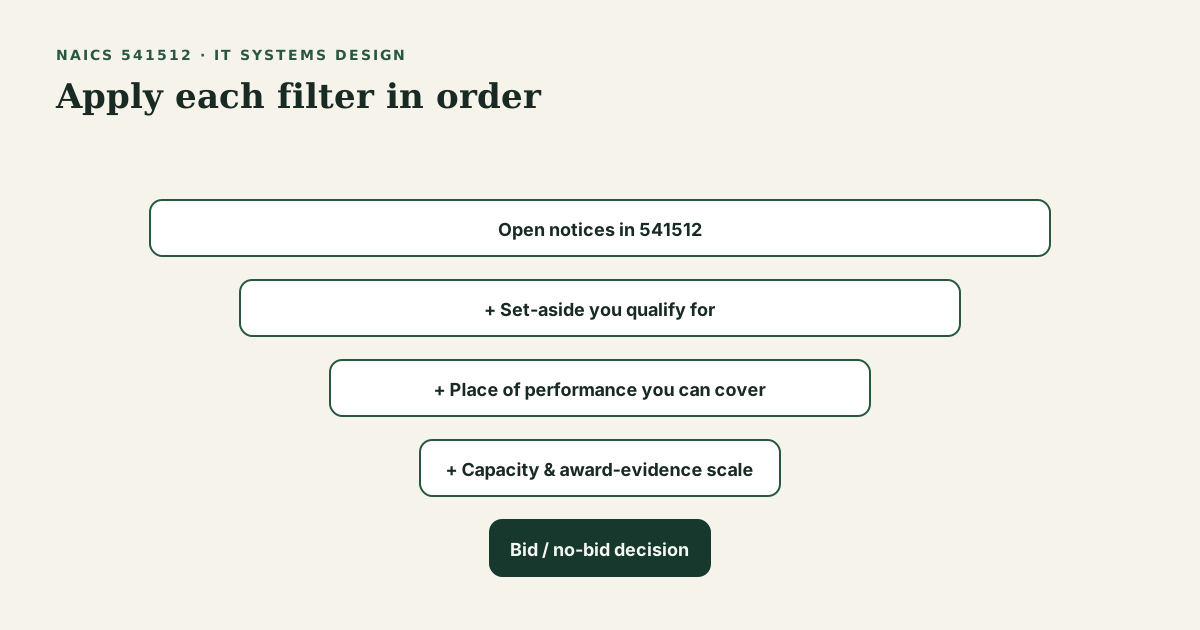
Computer Systems Design Services (NAICS 541512) has many federal notices. The count shows demand, but it can also lead firms to read every "IT services" title without checking fit.
A keyword can match work with a set-aside you cannot prime or a place you cannot staff. Some IT work also uses GWACs, GSA schedules, and other vehicles instead of open-market SAM.gov notices. This guide explains how to read Computer Systems Design Services (NAICS 541512) on GovGazette. It does not promise an easy award.
Start with the official definition
NAICS titles come from Census materials in the NAICS reference library. Your primary code should describe what you sell in plain English a contracting officer would know. A wrong NAICS code can distort research and size checks.
Check PSC pages with IT NAICS work. Agencies often classify a buy by product or service code as well as industry. See contracts by PSC and the PSC reference.
Patterns that matter more than raw open count
On an industry page, check:
- Open vs active. Open (accepting responses) is the set that matters for bidding. Active includes notices still in the index for other reasons.
- Set-aside mix. Total small business and socioeconomic set-asides change who can prime. Read the set-aside guide before you assume you qualify for a 541512 notice.
- Place of performance. Federal IT is not always remote. State pages, such as Texas, show where the notice lists the work.
- Award evidence on the notice. Comparable public awards show past amounts. They do not set a labor rate or GSA schedule price.
Much IT work uses SEWP, OASIS+, Polaris, and other vehicles instead of open-market RFPs. If your firm relies on IDIQs, SAM.gov open-market counts will omit part of the work. Read the posted notices, then decide whether you need a place on a vehicle or a team partner.
A 30-minute market review
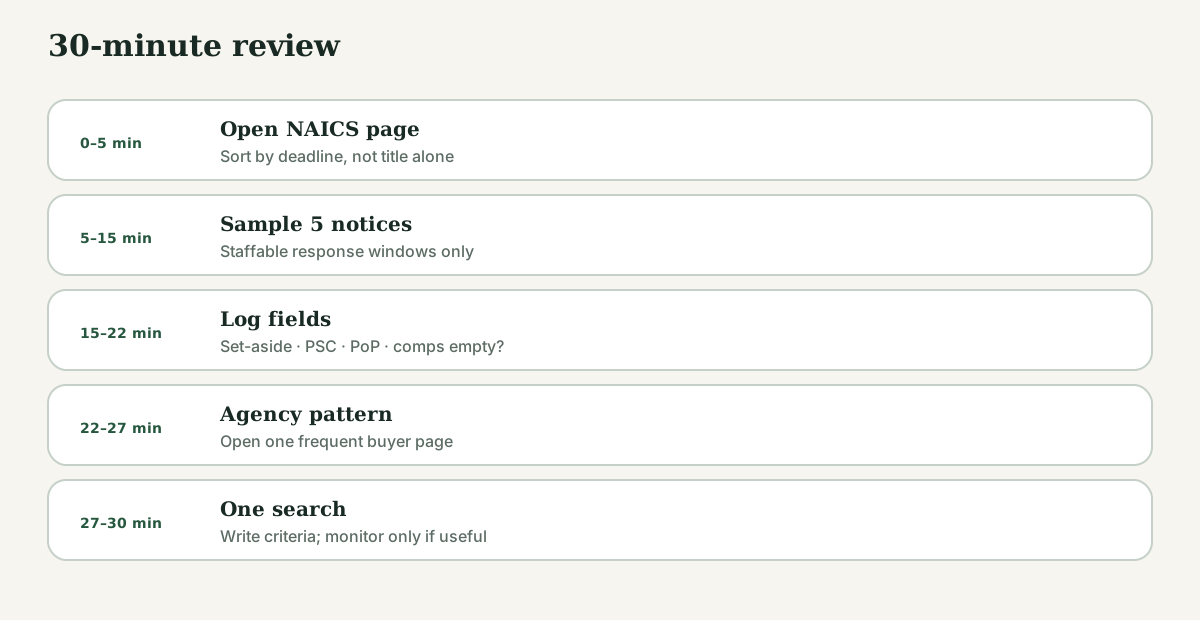
Limit this review to 30 minutes.
- Search for computer systems design work and check each notice’s response deadline.
- Open five notices with response windows you can staff.
- For each, log: set-aside, PSC, PoP, and whether award evidence is present or empty.
- Open one related agency page that appears often in your sample.
- Record your keywords, NAICS code, and set-aside criteria. Bookmark the search and keep a short list of notices to review.
Use the same criteria each time you review the market so changes are easier to spot.
Common mistakes
- Keyword-only searches that ignore NAICS and PSC codes and return unrelated logistics notices.
- Treating empty award history as "no market." Empty evidence can mean few linked public records, not zero demand. Check SAM.gov.
- Choosing clearances and multi-volume RFPs for a first prime bid. Prefer clear notice types and work your staff can handle (see the First Contract Path).
- Ignoring vehicles. If buyers use GWACs, open-market pages will omit much of the work.
Key takeaways
- Computer Systems Design Services (NAICS 541512) has many notices, so check each one before you bid.
- Check NAICS, PSC, set-aside, and place of performance before you spend time on a proposal.
- Award history shows past award sizes; it does not set your price.
- GovGazette lists public SAM.gov data and has no affiliation with GSA or the government.